
Idle Breaker Weapons & Gear: Upgrade Priority Guide
How to choose Idle Breaker weapons and gear: quality tiers, upgrade fodder, elemental loadouts, and which stats to keep before you spend rare materials.
Upgrade one general-purpose weapon first, then build one counter per element. Compare damage after the next affordable level rather than chasing rarity colour, and keep every equipment slot filled — the equipment-slot milestones→ reward breadth as well as raw power.
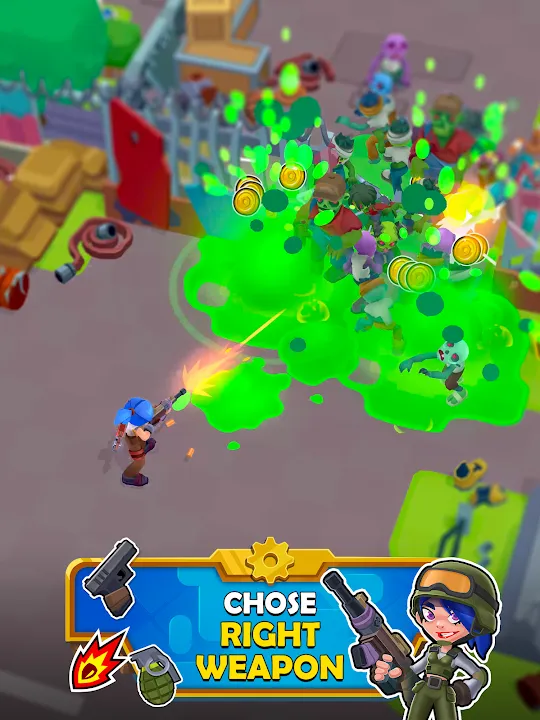
Weapon first or Breaker Tool first?
Early on, the Breaker Tool wins. It opens paths, speeds up farming, and every weapon upgrade depends on materials that the tool helps you gather. Once the story starts throwing armoured zombies and boss checks at you, the balance shifts: a tool upgrade that unlocks a cosmetic path is worth less than a weapon level that lets you clear the next mission.
A simple rule: if the next story gate is a locked barrier, upgrade the tool. If the gate is a fight, upgrade the weapon. If you cannot tell, open the mission preview or walk to the gate and read the requirement. Do not guess with rare materials.
How quality tiers work
Idle Breaker uses named quality tiers rather than a single numeric item level. The trophy list confirms at least a "fine" tier, because "First Kit" asks you to fill every equipment slot and "Fine Kit" asks for every slot with fine-or-better gear. Higher tiers exist beyond fine, but the game does not publish a single clean ladder in one menu, and the exact names can differ between the mobile and console builds.
Do not assume that a higher tier is automatically better. A fine weapon at level one may lose to a common weapon at level ten, especially if the common one has a better damage roll or a useful element. The upgrade screen shows the resulting damage before you commit; use that number, not the border colour.
Upgrade fodder is easy to spend carelessly. Lock or favourite one fine-or-better item for every slot before you start using duplicates as material. Rebuilding a slot you already filled is more expensive than a slightly slower upgrade.
What the upgrade screen is actually asking for
Weapon and gear upgrades usually consume two things: a material cost and fodder. Fodder can be spare gear of the same category or a dedicated upgrade item, depending on the slot and the version. Before you confirm, check three details:
- The resulting damage or armour value. If it barely moves, the upgrade is not the bottleneck.
- The material that disappears. Rare components should go into the slot that is actually blocking you, not into a backup weapon you rarely equip.
- Whether the item is equipped in another loadout. The game may let you keep the item but strip it from a preset; recheck your Camp Defense and Boss Arena setups afterwards.
If the upgrade button is greyed out, the missing requirement is usually shown as an icon rather than text. Compare that icon with your inventory before you farm; you may already have the material in a different tab.
Which stats matter most?
For story clearing, prioritise base damage and attack speed before conditional bonuses. Zombies do not care about your loot bonus, and a weapon that kills a normal enemy in one fewer hit saves more time than a small critical chance.
For Boss Arena, elemental damage and burst move ahead of sustained stats. The mode is a short damage race, so front-loaded damage and cooldown alignment matter more than a stat that only pays off over a five-minute fight.
For Camp Defense and late story areas, survivability enters the conversation. Armour, health and defensive perks let you hold a lane without retreating, which is often worth more than a few percent of damage. Do not run a glass-cannon build into a mode whose job is to keep enemies away from a fixed point.
Resource and loot bonuses are quality-of-life stats. They are excellent on a farming set and nearly worthless on a boss set. Keep one farming configuration and one fighting configuration rather than trying to make a single loadout do everything.
Building around the four elements
Boss Arena rotates through fire, ice, acid and electricity. The game shows the boss and its element before you commit, so the practical preparation is straightforward: keep one weapon of each element at a usable level, then upgrade the one that matches the current rotation.
You do not need four perfectly rolled endgame weapons. You need four weapons that are good enough to clear the damage check. Upgrade them evenly until the current boss becomes comfortable, then push the one you enjoy using. If you are missing an element entirely, a strong neutral weapon can still clear early bosses, but the gap widens as the rotation repeats.
The Boss Arena guide→ covers the 90-second format, attempt limits and the mistakes that waste a run. The short version: check the element before you spend an attempt, not after.
When to replace a weapon
Replace when the new weapon wins after one affordable upgrade, not when it merely has a higher tier. A practical comparison:
- Note your current weapon's damage per hit and attack speed.
- Preview the new weapon at its current level.
- Price one level on each.
- Pick the option that gives more damage per material spent.
If the difference is small, keep the current weapon and spend the materials on your Breaker Tool or a missing element instead. If the new weapon opens a new element or a large damage jump, switch and move the old one to a backup loadout.
Do not dismantle the old weapon until you have confirmed the new one works in the modes you actually play. A weapon that looks better in the menu can feel worse in a crowd if its attack pattern is slower or its range is shorter.
A practical loadout plan
Story set: highest sustained-damage weapon, armour with health, one defensive accessory. This is your default for clearing new areas.
Boss set: the element that counters the current rotation, burst-focused accessories, and any perk that improves opening damage. Swap this set before you enter the arena, not during the run.
Farming set: resource and loot bonuses if you have them, plus enough damage to one-shot normal enemies. Speed matters more than survivability here.
Defense set: armour, health, area damage and anything that helps you hold a choke point. The Camp Defense guide→ explains why a dedicated set is worth the inventory space.
Keep the sets labelled in your head even if the game does not label them for you. The biggest gear mistake in Idle Breaker is not a bad roll; it is entering a mode with the wrong loadout and blaming the weapon.
Official source: QubicGames ↗, Estoty ↗ and the Xbox store listing ↗. Anything not published by the developer or platform store is labelled as a community observation or left out.
FAQ
Should I sell duplicate gear or use it as fodder?
Use duplicates as fodder for the slot you are actively upgrading, but keep one fine-or-better item per slot first. If the game offers a sell option, compare the currency you receive with the cost of replacing that fodder later.
Are elemental weapons worth it outside Boss Arena?
Yes, but mainly as insurance. Some late enemies and events reward matching damage, and having the option saves a farming detour when the rotation changes. Do not neglect your general-purpose weapon to build all four at once.
How do I raise Combat Power quickly?
Fill empty equipment slots, then upgrade the lowest-cost item that is actually equipped. Empty slots are usually the cheapest large jump; after that, weapon levels and tool levels give the most visible progress.
Does gear carry between platforms?
The store listings confirm cloud saves within the Xbox ecosystem through Xbox Play Anywhere, but cross-platform progression between PlayStation, Switch, Xbox and mobile is not officially confirmed. Treat each ecosystem as separate unless the game itself offers an import option.
For current store details and add-on listings, see the PlayStation Store page ↗, the Xbox store page ↗, and the Google Play listing ↗.